In this guide
- 01The entry-level decision framework
- 02Direct drive vs belt-drive vs gear-drive explained
- 03Starter bundle recommendations for 2026
- 04Why your pedals matter more than your wheel
- 05Rig vs desk mount: which do you need?
- 06Monitor setup for beginners
- 07Which sim racing title to start with
- 08Try before you buy: why a lounge visit should be step one
The entry-level decision framework
“What should I buy first?” is the most common question in every sim racing forum, subreddit, and Discord server. The answer used to be complicated. In 2026, it’s much simpler: entry-level direct drive is now cheaper than the belt-drive setups beginners were buying five years ago — and dramatically better. The hard part isn’t the technology. It’s understanding what actually matters.
Start with your budget band
Everything else — what wheel, which rig, which sim — flows from your realistic starting budget. Three tiers cover most beginners:
| Budget | What you can build | Who it's for |
|---|---|---|
| Under $500 | Entry direct drive wheel + basic pedals + desk mount | Testing the hobby, console crossover, tight budgets |
| $500–1,500 | Mid-range DD bundle + load cell pedals + entry rig | Committed beginners ready to take it seriously |
| $1,500–5,000 | Quality DD base + proper rig + triple monitors | Enthusiasts who want a setup close to a commercial lounge |
PC vs console
Most modern wheel bases work on both PC and console — but compatibility is not universal. Check before buying.
- •PC: Full freedom to choose any wheel base, access to iRacing, Assetto Corsa, and all major sims. Best long-term option.
- •PS5: Gran Turismo 7 is excellent but limits wheel choice. Fanatec CSL DD and Thrustmaster T-GT II are PS5-licensed options. Moza is PC-only.
- •Xbox: Even more restricted. Thrustmaster TX and Fanatec Forza Motorsport bundles are the main choices.
Space: desk mount vs full rig
Before ordering anything, measure your available space. A desk mount — wheel clamped to a table, pedals on the floor — works surprisingly well when starting out. A full rig is better, but it takes up a permanent 4’ × 6’ footprint. If you’re apartment-bound or unsure about the commitment, a desk mount is a perfectly sensible first step.
Direct drive vs belt-drive vs gear-drive explained
Force feedback is what makes sim racing feel real. The motor in your wheel base transmits information from the virtual car directly to your hands — every kerb, every moment of understeer, every snap of oversteer. The quality of that signal defines the experience. Not all motors are equal.
Three types of wheel base motors
Gear-drive
The cheapest option. Uses plastic or metal gears to translate motor movement to the wheel. Notchy, noisy, and imprecise. Found in entry Logitech and Thrustmaster options. Fine for casual console gaming — not ideal for serious sim racing.
Belt-drive
A step up. Belts smooth the motor's motion before it reaches the wheel. Quieter than gear-drive and more consistent. The Thrustmaster TX and Fanatec CSL Elite used belt-drive. Were the recommended beginner option until 2023–2024.
Direct drive (DD)
The wheel attaches directly to the motor shaft — no gears, no belts. Cleaner torque, more precise feedback, mechanically simpler. Entry direct drive now costs what good belt-drive cost three years ago, and it's significantly better.
Why direct drive is now the default recommendation
In 2022, a decent direct drive wheel base cost $800–1,200. The Moza R5 changed that. At around $280 for the base alone, or $430–500 bundled with a wheel rim and pedals, entry direct drive is now cheaper than Fanatec’s mid-range belt-drive bundles — and noticeably better in every measurable way.
5.4Nm
Moza R5 peak torque — more than enough for beginners
~$500
Complete Moza R5 bundle with wheel + pedals in 2026
0 gears
Direct drive: no mechanical noise or notchiness
1 step
From entry DD to enthusiast DD — the upgrade path is clean
The practical difference you’ll feel: direct drive gives you cleaner, more nuanced feedback. Gear-drive feels like stirring a slotted spoon. Direct drive feels like a car. If you’re spending $400 or more on a wheel base, there’s almost no reason to choose belt-drive in 2026.
The one exception
If you need PS5 compatibility on a strict budget, the Fanatec CSL DD 5Nm is the best PS5-licensed direct drive option at around $350. Moza’s full ecosystem is PC-only for now.
Starter bundle recommendations for 2026
The cleanest way to start: buy a matched bundle from a single manufacturer. Wheel base, rim, and pedals from the same ecosystem ensures compatibility and makes troubleshooting straightforward. Here are the three best beginner options across budget levels and platform needs.
Best overall: Moza R5 bundle (~$500, PC only)
This is what r/simracing recommends to the majority of PC beginners asking “what should I buy?” The bundle includes the R5 direct drive base (5.4Nm peak), the ES steering wheel (320mm GT-style rim), and the SR-P Lite pedals. Everything works out of the box on Windows 10/11 with Moza’s Pithouse software.
Best overall — PC only (~$500)
Moza R5 + ES bundle
Direct drive, plug-and-play, 5.4Nm peak. Strong FFB quality for the price. When you're ready to upgrade, the pedals are the first target — move to the SR-P load cell.
Step-up (~$700, PC only)
Moza R9 bundle
9Nm peak with better fidelity at speed. Worth the extra if budget allows — this is the standard specification for commercial sim racing lounges.
Best for PS5: Fanatec CSL DD Starter Kit (~$550–650)
If you’re on PS5 for Gran Turismo 7, Fanatec is your main direct drive option. The CSL DD 5Nm bundled with the CSL steering wheel and CSL LC load cell pedals covers everything you need. The 8Nm boost kit adds more torque later for around $150.
PS5 + PC compatible
Fanatec CSL DD 5Nm
The only PS5-licensed direct drive base at this price point. 5Nm is adequate for beginners. If feedback feels weak at higher speeds, the 8Nm boost kit is a straightforward upgrade.
Budget option: Thrustmaster TX (~$300, Xbox + PC)
If $500 is genuinely out of reach right now, the Thrustmaster TX is the best belt-drive wheel at its price. Xbox and PC compatible. The included pedals are potentiometer-based — plan to upgrade them before upgrading the wheel base, because that’s where you’ll feel the biggest improvement.
Budget / Xbox (~$300)
Thrustmaster TX 300
Belt-drive. Solid entry point for Xbox owners or PC users on a tight budget. Not as clean as direct drive, but perfectly functional for learning the basics of sim racing.
What about Logitech?
The Logitech G29 and G920 are cheap and widely available. But they’re gear-drive, and the feedback quality is meaningfully worse than Moza’s entry direct drive at a similar price. If you’re buying new in 2026, skip the G29 and choose Moza R5.
Why your pedals matter more than your wheel
This surprises most newcomers: upgrading your pedals has a larger impact on lap times than upgrading your wheel base. The reason is braking. In sim racing as in real racing, how consistently you modulate the brake pedal determines corner entry speed, car rotation, and overall pace.
Potentiometer vs load cell: what’s the difference
| Type | How it works | Feel | Price range |
|---|---|---|---|
| Potentiometer | Measures how far you press the pedal (travel-based) | Springy, inconsistent under pressure | $50–150 |
| Load cell | Measures how hard you press the pedal (force-based) | Firm, consistent — mirrors real brake feel | $150–600+ |
With potentiometer pedals, “100% braking” means pressing to the floor. With real car brakes and load cell pedals, 100% means applying maximum force — which might only be 20–30% of travel distance. That’s exactly how real braking works. Load cell pedals teach the correct technique from the start, not habits you’ll have to unlearn later.
In practice: most drivers shave 0.5–2 seconds per lap when switching from potentiometer to load cell pedals, without changing anything else. The improvement comes from consistent braking, not from being faster in a straight line.
The pedal upgrade ladder
- •Included bundle pedals: Fine for the first few weeks. Learn the sim, develop feel for the car, identify what feels inconsistent.
- •Moza SR-P (~$180): The natural first upgrade for Moza users. Load cell brake, 3-pedal (throttle/brake/clutch), straightforward installation. The most impactful purchase after your initial bundle.
- •Fanatec CSL Elite Load Cell (~$220): Best option for Fanatec ecosystem users. Solid build quality and consistent brake feel.
- •Heusinkveld Sprint / Simucube Pedalset ($400–800): Enthusiast-tier. Once you’re training consistently, these are near-endgame hardware.
“I spent six months on the stock pedals thinking my times were limited by technique. Switched to load cell and dropped 1.2 seconds on my home track within a week. Should have upgraded the pedals first.”
Rig vs desk mount: which do you need?
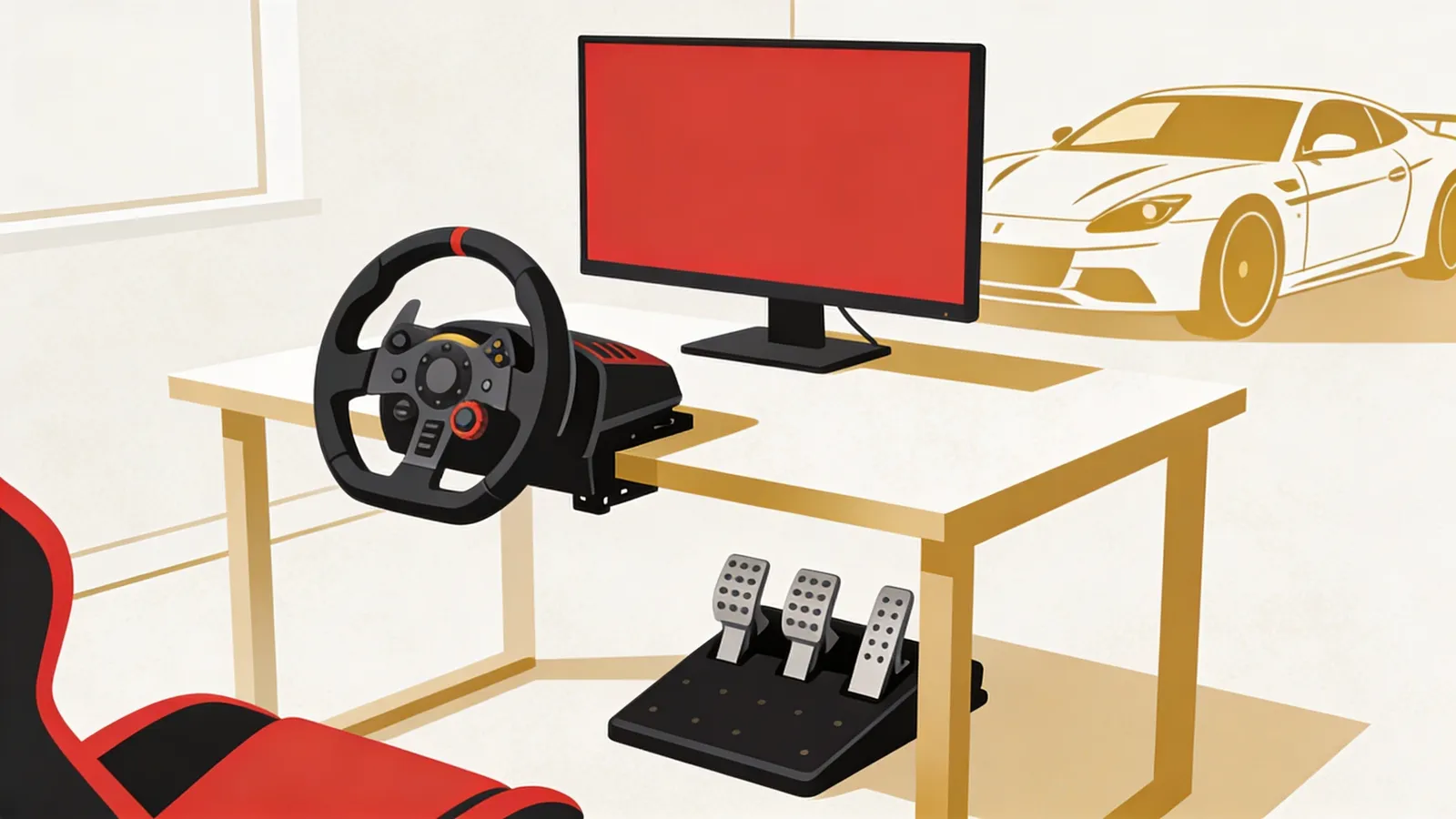
Seating position matters more than most beginners expect. A proper racing position — seat angled back, wheel close to your chest, pedals ahead and slightly elevated — is more comfortable and genuinely faster. A desk mount approximates this. A rig nails it.
When a desk mount is fine
A wheel clamp (Next Level Racing Wheel Stand Lite or similar) runs $50–100 and mounts securely to most desks. The main limitation: desk height is usually too high for a proper driving position, and pedals on hard floors can slide without a carpet pad underneath.
When you need a rig
Entry rig options
| Rig | Type | Price | Notes |
|---|---|---|---|
| Next Level Racing GTLite | Foldable | $250–300 | Entry-level, some flex under heavier wheel bases. Adequate for the Moza R5. |
| Playseat Challenge ActiFit | Foldable | $280–350 | Compact, stores flat, better rigidity than NLR GTLite. Popular first rig. |
| Playseat Evolution | Fixed | $400–500 | More rigid, non-folding, better seating angle. Step-up for permanent space. |
| Simagic SB1 | Fixed | $500–650 | Aluminum frame, excellent rigidity. Worth it if your wheel base is R9-tier or above. |
The folding rig trade-off
Foldable rigs are convenient but flex under load, which dulls the precision of force feedback. For serious lap times, a fixed rig makes a noticeable difference. If space forces foldable, the Playseat Challenge is the best option at its price — avoid cheaper no-name folding alternatives.
Monitor setup for beginners
You don’t need triple monitors to start. A single 27“ display is perfectly adequate for learning sim racing and for 80% of casual use. The debate over VR, ultrawide, and triple screens is something to revisit once you know the hobby is for you.
What to use on day one
If you already have a 24“ or 27“ monitor at home, use it. You don’t need to buy anything new immediately. If you are purchasing a monitor specifically for sim racing:
- •Minimum: 24“ 1080p 144Hz. Any major brand (LG, ASUS, AOC, Samsung) works fine. Budget $120–180.
- •Better start: 27“ 1440p 144–165Hz. Noticeably sharper image, important for reading braking points and identifying cars ahead. Budget $280–400.
- •Refresh rate: Aim for at least 100Hz. At 60Hz, fast cornering feels slightly choppy. 144Hz is the practical standard.
The display upgrade path
| Setup | Approx. cost | When to consider it |
|---|---|---|
| Ultrawide 34" curved | $400–700 | After 3–6 months, if you want more peripheral view without the complexity of triples |
| Triple monitors | $800–1,500 (monitors only) | Once you're consistent — game-changing immersion, but requires strong GPU and monitor stands |
| VR headset (Meta Quest 3S) | $300–500 | If cockpit depth perception matters more to you than visual clarity and comfort over long sessions |
Commercial sim racing lounges run triple monitor setups as standard — they provide the best combination of peripheral vision, reliability, and cost for repeated multi-user sessions. For a home beginner, a single quality monitor is a completely valid starting point and a better use of your budget than spending it on display hardware.
Which sim racing title to start with
Game selection confuses more beginners than equipment choices do. iRacing, Assetto Corsa, ACC, Le Mans Ultimate, Gran Turismo 7, F1 25 — each is genuinely different. The right choice depends on your platform, how seriously you want to compete, and what kind of racing excites you.
Best sims for beginners: ranked by accessibility
F1 24 / F1 25 — most accessible
Formula 1 cars are immediately recognizable, and the game has excellent assists: ABS, traction control, automatic gears, even a racing line overlay on track. Great for learning track layouts before moving to more demanding sims. Available on PC, PS5, and Xbox.
Gran Turismo 7 — best career structure
If you're on PS5, GT7 is the easiest entry point. Forgiving physics, a huge car collection, and a rewarding progression system. The sim accuracy isn't at iRacing levels, but the driving feel is engaging and the learning curve is gentle.
Assetto Corsa — best overall for PC beginners
Realistic physics, a massive free mod library (community-made cars and tracks), and adjustable difficulty make the original Assetto Corsa the most versatile starting point on PC. Extremely popular in sim racing lounges for the breadth of content it supports.
iRacing — most competitive, steepest curve
The gold standard for online racing. Subscription-based ($11/month, plus paid content for cars and tracks), with a structured competitive ladder, official manufacturer licenses, and serious safety rating systems. Not ideal for your first two weeks, but worth the investment once you have the basics.
Use the assists ladder — it’s not cheating
A common beginner mistake: turning off all driving assists immediately to feel more legitimate. The result is frustration, spins every corner, and slower skill development. Real-world racing drivers use ABS and traction control in their actual cars. The assists are there to be used — and then gradually removed as your feel develops.
- •First 1–2 weeks: Full ABS, full TC, automatic gears, racing line overlay on. Focus on learning tracks and basic braking points without managing car control simultaneously.
- •Month 1: Reduce TC to 50%, turn off the racing line. Start using manual gears in GT cars before open-wheel.
- •Month 2–3: Remove ABS, then TC completely. This is when sim racing starts feeling like a real skill you’re developing.
20 laps
Rule of thumb for learning a new track before pushing for lap time
30–60 days
Typical time before drivers feel competitive in beginner online lobbies
100%
Real-world race drivers use ABS and TC — starting with assists is correct technique
Try before you buy: why a lounge visit should be step one
Here’s the recommendation most setup guides skip: before spending $500–5,000 on home equipment, book a session at a sim racing lounge. You’ll know within an hour whether the hobby is genuinely for you, and you’ll get hands-on time with professional-grade equipment that informs every purchase decision you make afterward.
What a single lounge session tells you
The cost math is straightforward
A single lounge session runs $25–50 for 30–60 minutes — less than 10% of a starter home setup. If you visit and decide sim racing isn’t for you, you’ve saved yourself $500 or more. If you visit and love it, every equipment decision you make afterward is better-informed.
Many sim racing regulars use both. They maintain a home setup for daily practice, and they visit a lounge for competitive events, social racing, and access to premium equipment their home rig can’t replicate — particularly motion rigs and professional-grade wheel bases. The experiences complement rather than replace each other.
“I almost bought a mid-range Fanatec bundle based on YouTube reviews. Then I visited a sim lounge, drove a Moza R9 for an hour, and immediately felt what I’d have been missing. Bought the R9 instead. Don’t skip the lounge step.”
Sim racing lounges are purpose-built for exactly this kind of discovery experience — professional rigs, multiple game titles, and staff who can help you set assists and seating position correctly on your first visit. For more on what the commercial side of the industry looks like and how these venues operate, the complete guide to starting a sim racing lounge covers the full picture — from a business perspective and a customer one.