Watch every rig
on one screen.
Race control software built for sim racing centers. Live timing, standings, a track map and every event from every simulator, on one screen. Driver names come from your bookings, and every lap is saved to the right profile.
No signup required for the demo. Included for every venue.
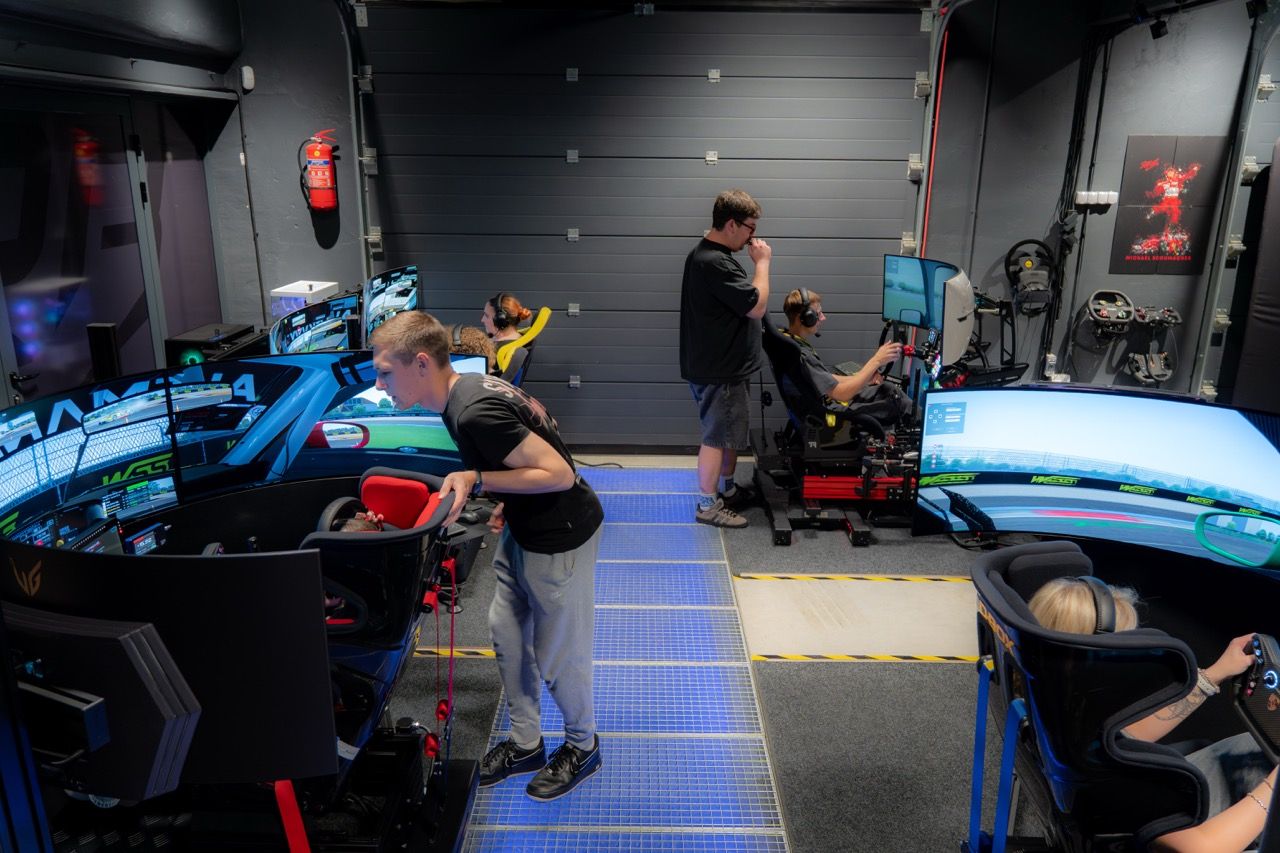
The whole floor,
live.
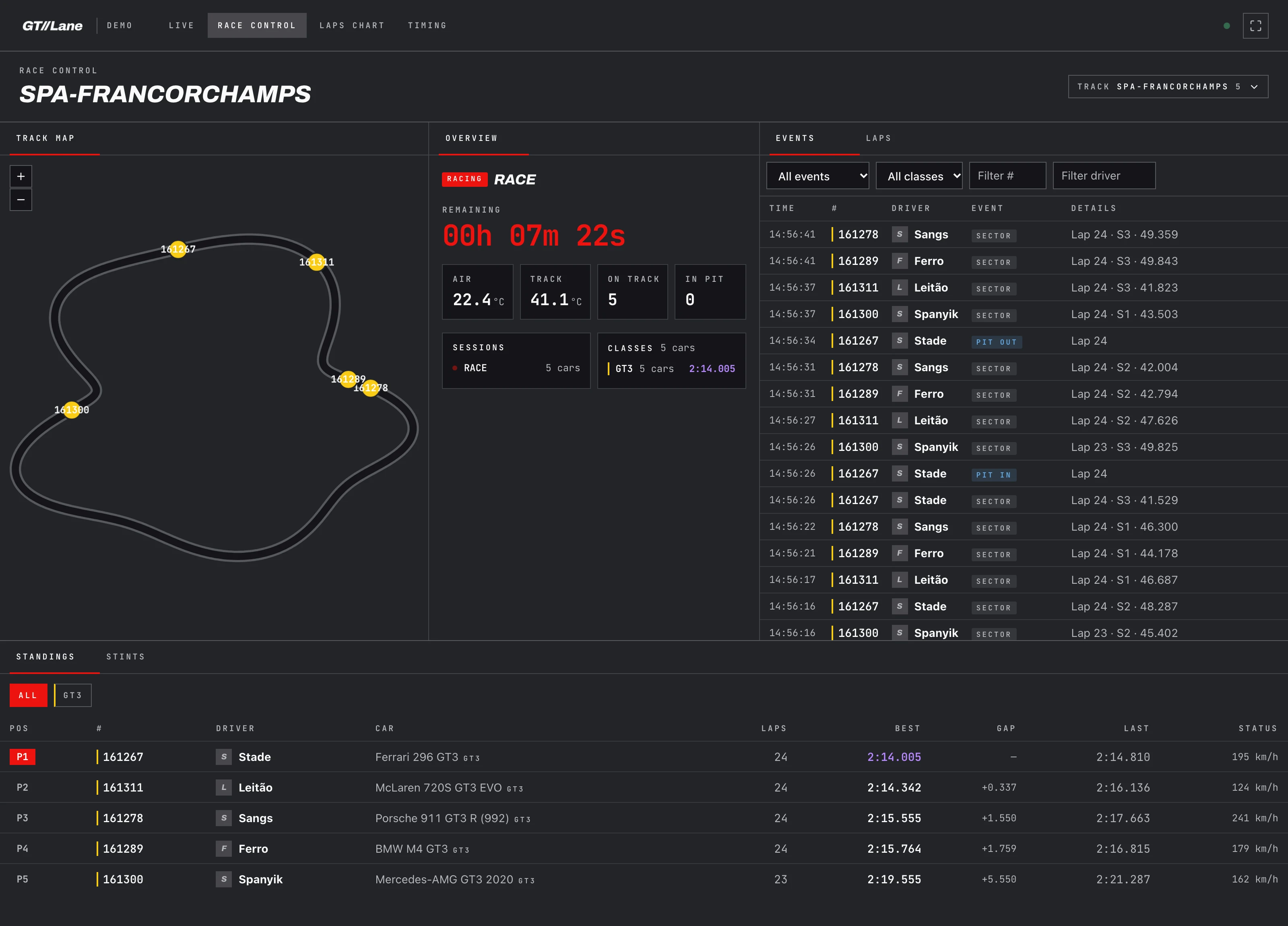
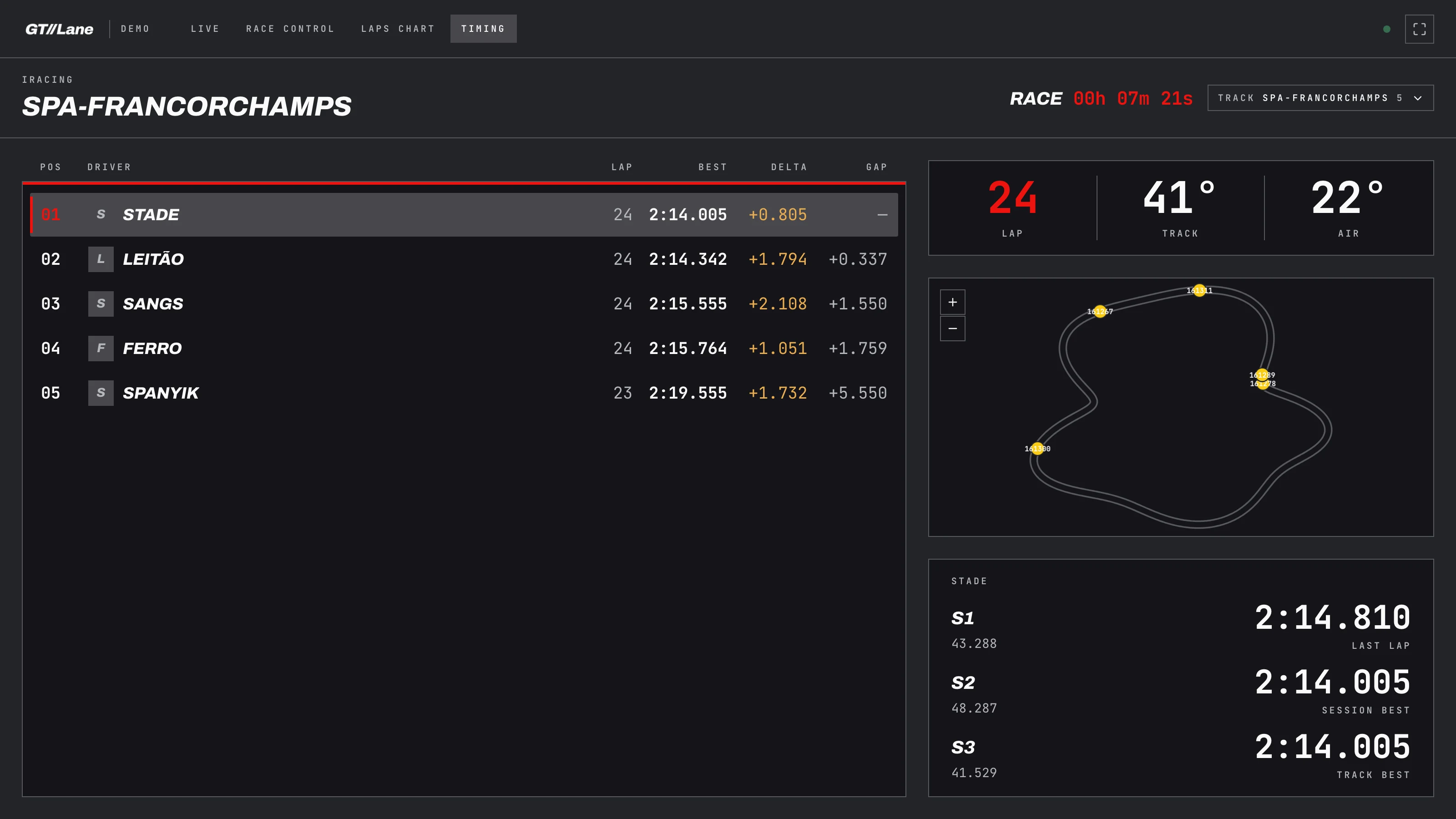
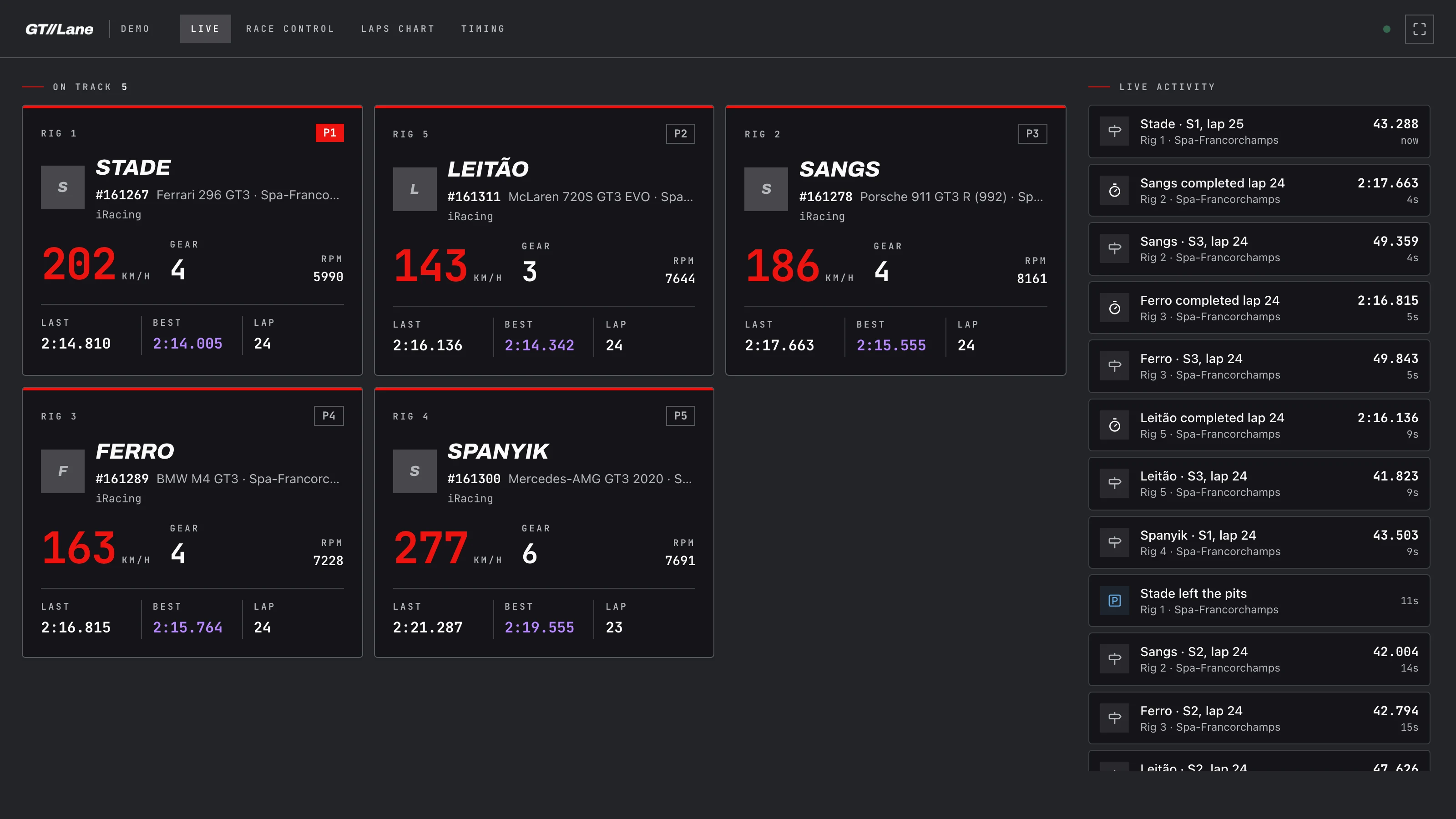
Race control, the timing board for your TVs, and a card per rig. Shown here with a simulated five-car race.
One operator,
a floor full of rigs.
On a busy night, knowing what is happening on track means a staff member walking rig to rig and looking over shoulders. Nobody can say who is fastest, who is in the pits, or whose lap just beat the record.
The native simulator UI was built for one driver at home, not a commercial floor of eight or twelve bays running back-to-back paid sessions. It knows the name on the shared game profile, not the customer who booked the rig.
GTLane race control puts every rig on one screen. Each one is tied to the booking behind it, so the timing shows real customer names. One person follows a whole group race, and the results are saved without anyone writing them down.
What the native sim UI can't do
- Show every rig in the venue on one screen
- Rank drivers across rigs as they set laps
- Show the customer who booked the rig instead of the game profile
- Save every lap to that customer's profile
- Put a live timing board on the venue TVs
From the plugin
to the chequered flag.
Install the plugin on each rig
The GTLane SimHub plugin streams live telemetry from each simulator and uploads every lap. Paste an API key, enter the rig slug, and it runs from then on.
Launch the race the way you already do
Start the session from the game, SimHub or Content Manager. GTLane does not launch or close games; it picks up the telemetry the moment cars are on track.
Watch it live, keep the results
Race control follows every rig in real time. Each lap is saved to the profile of the driver who booked the rig and counts toward your venue records.
Everything race control
shows you.
Every rig on one screen
A live card for each simulator: who is driving, speed, gear, current lap and best lap. One look tells you what the whole floor is doing right now.
Live timing and standings
Standings ranked by best lap, with class chips and gaps. Personal bests show in green and the overall fastest lap in purple, the way a real timing screen does.
Track map
The track outline is learned from the cars themselves after the first lap, with every rig shown where it is on circuit. Pit lane is handled separately.
Events, laps and stints
A filterable log of sectors, laps, fastest laps and pit stops, plus a stint timeline for each driver. Useful for endurance nights and for settling arguments.
Driver names from bookings
The game usually runs under one shared profile, so race control takes the driver from the booking on that rig. Staff never retype a name when drivers change.
A timing board for the TVs
A broadcast-style board built for venue screens: timing tower, last and best lap, gap to the leader, sectors and the track map. Open it full-screen and leave it running.
A view of the whole floor,
not one driver's screen.
| Native Simulator UI | Manual / Walk the Floor | GTLane | |
|---|---|---|---|
| Every rig live on one screen | Manual | ||
| Live timing and standings across the floor | Limited | Manual | |
| Track map with every car on it | Limited | ||
| Driver names taken from bookings | Manual | ||
| Laps saved to driver profiles and venue records | Manual | ||
| Timing board for venue TVs |
One hour of rental.
Per rig. Per month.
Whatever you charge for one hour on a sim is your monthly fee per rig. No upfront payment, no setup fees.
Your monthly bill
No upfront payment
Start today. We bill you next month.
No setup fees
Self-guided onboarding gets you live in 24h.
Cancel anytime
Month-to-month. No long contracts.
Frequently asked questions
Which simulators and titles does race control work with?
Does race control launch, pause or close the game?
Can I run a group race across several rigs at once?
How does it know who is driving?
Where do lap times and results go after a session?
Is race control included for every venue?
See your whole floor
in real time.
Try the live demo to see race control running, or contact us to launch on your own branded gtlane.com subdomain in 2-5 business days.