Sim racing booking software
that fills empty bays.
Real-time bay availability, member self-service booking, automated reminders, and waitlists — built specifically for simulator rental facilities, not adapted from a generic appointment tool.
No signup required for the demo. Setup takes 2-5 business days.
The booking engine,
top to bottom.
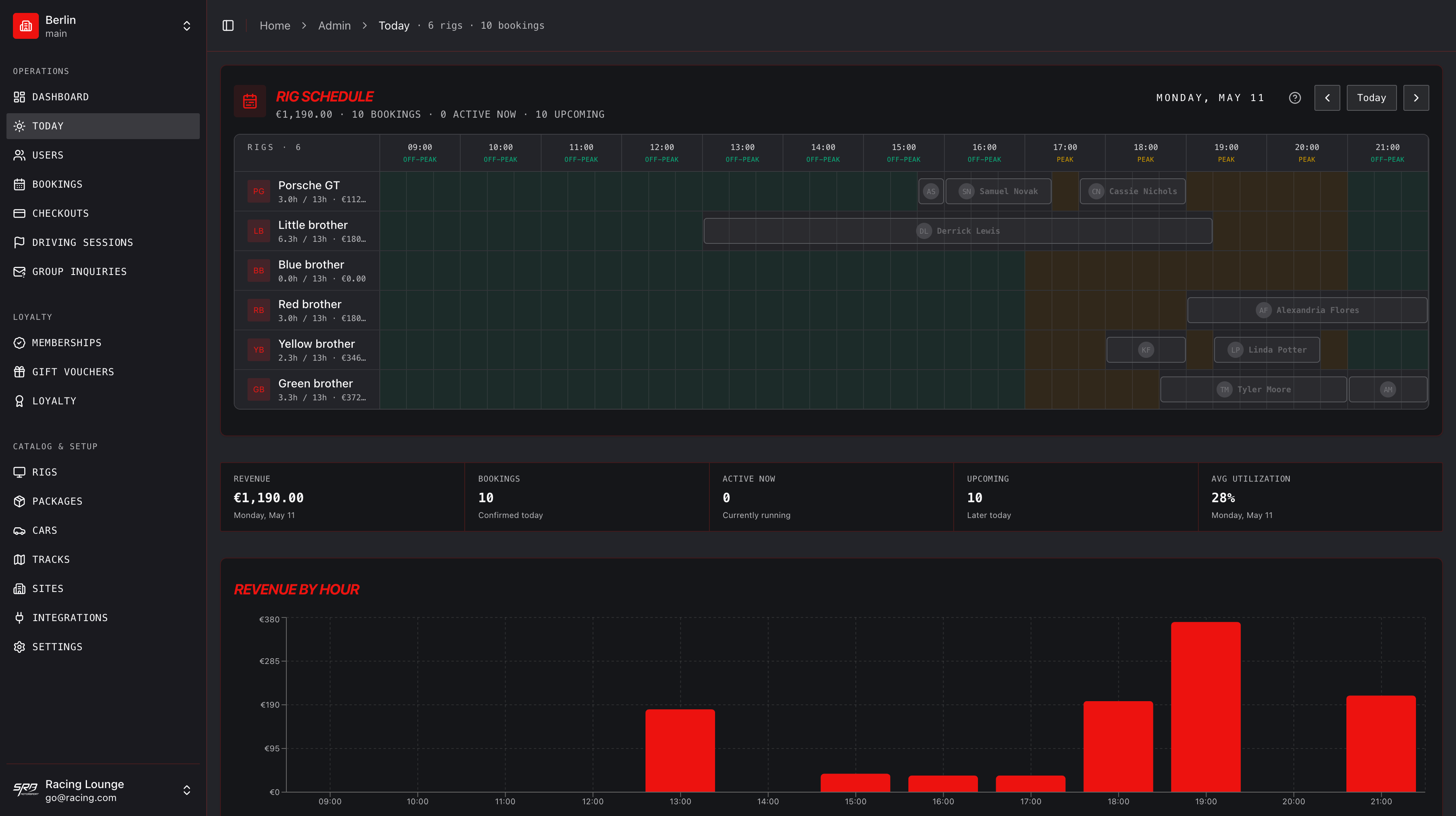
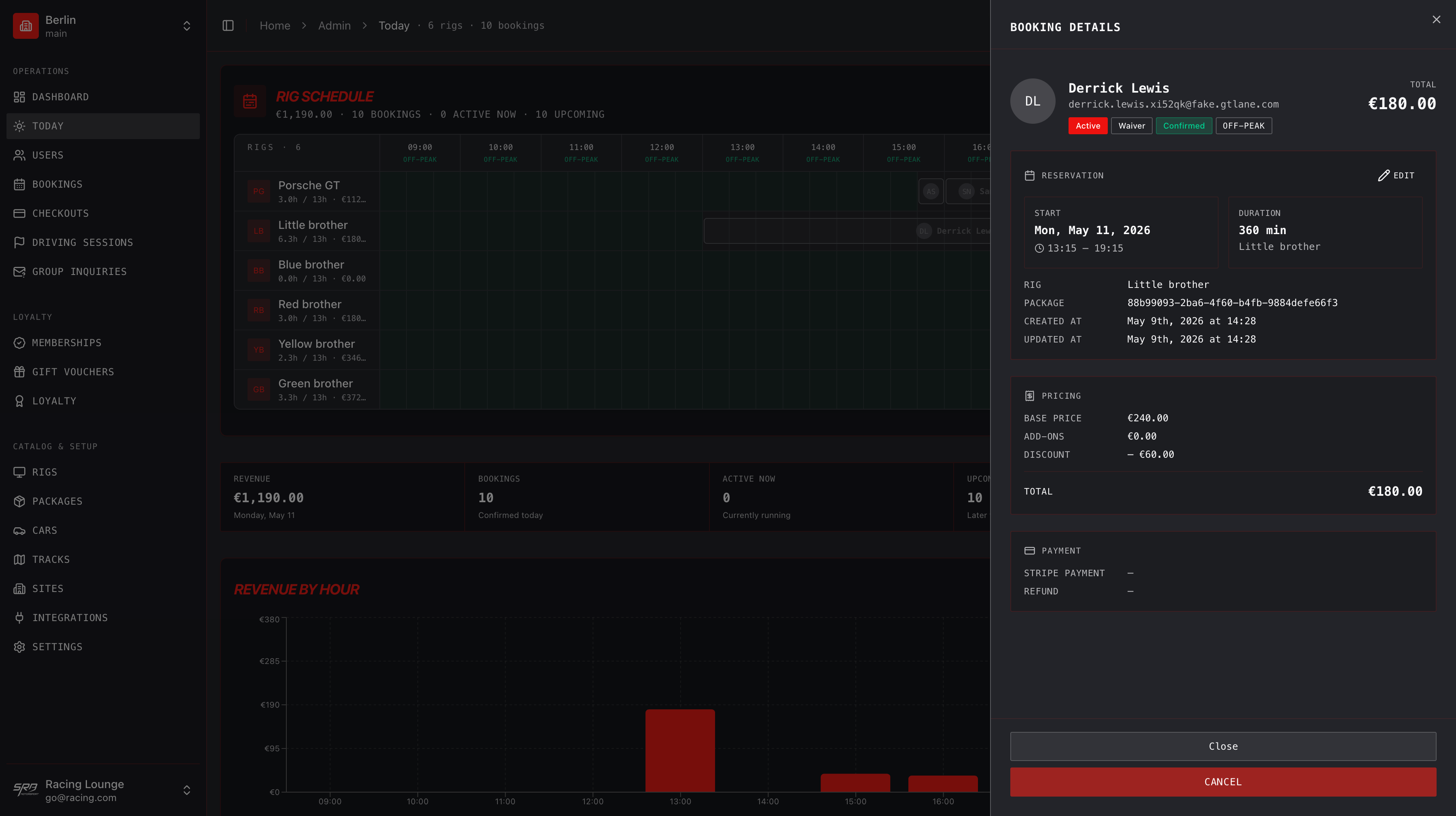
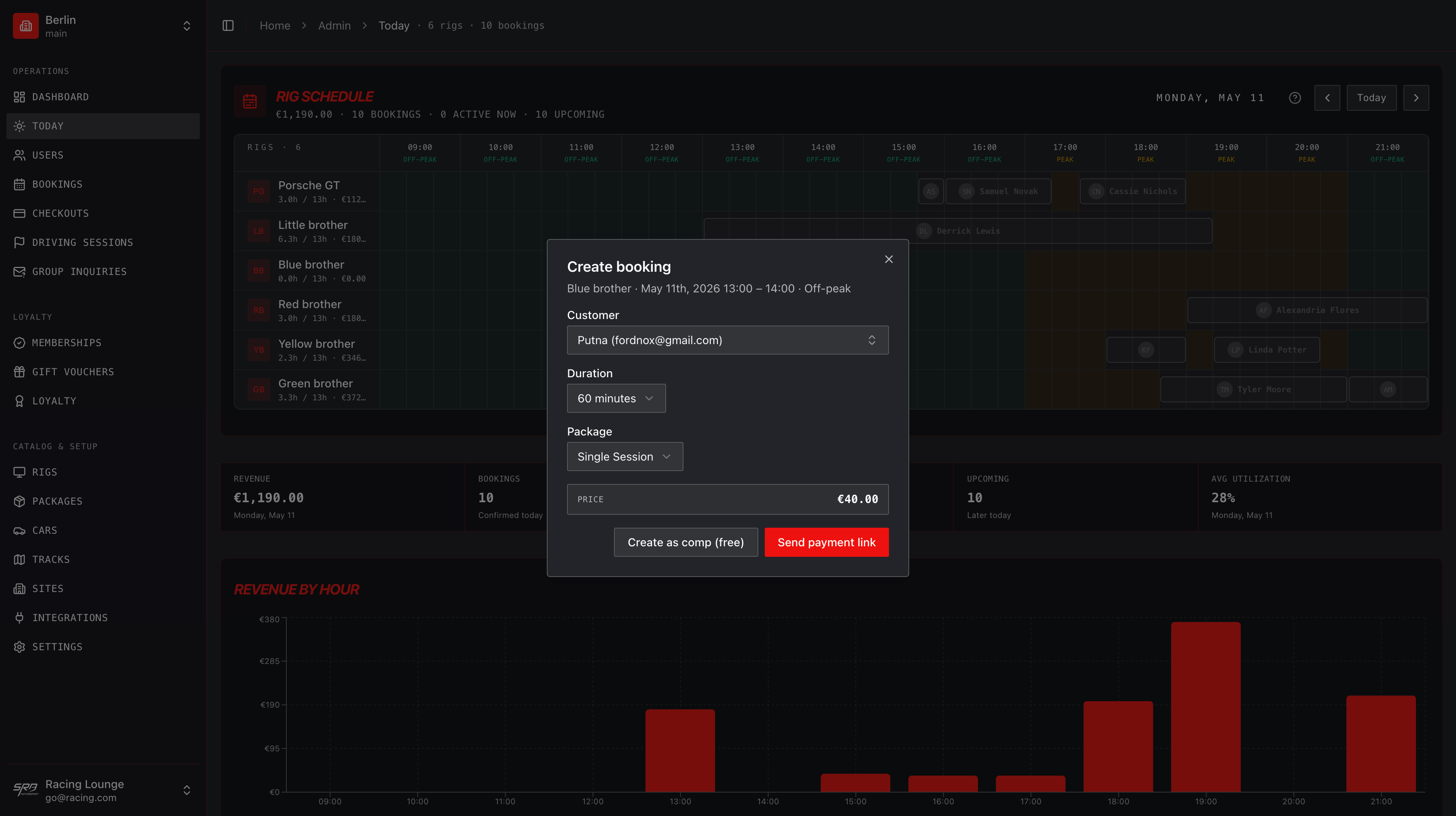
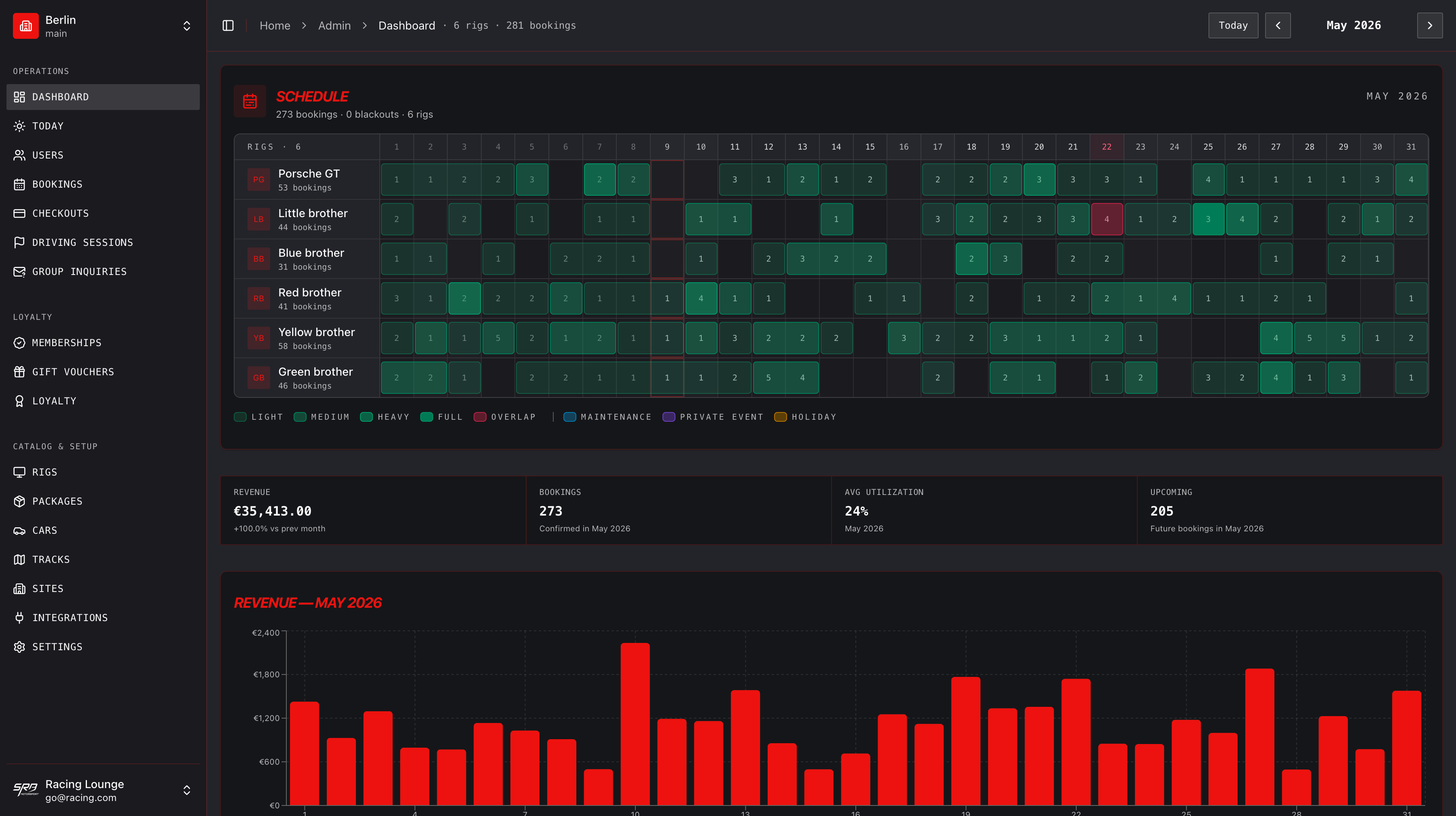
Live rig schedule, today's run, walk-in board, and the revenue chart that runs the floor — the same booking engine, from four angles.
Why generic booking tools
break at sim racing facilities.
Tools like Calendly, Square Appointments, and Acuity were built for hairdressers and dentists. They model a single resource and a single price. That breaks the moment you have four bays, three membership tiers, and a 10-session package to track.
Spreadsheets get you to your first month. By month three, you're double-booking, missing renewals, and chasing payment by SMS. Members notice. Bookings drop.
GTLane's booking engine models the things sim racing facilities actually have: bays, tiered members, packages, blackout windows, and waitlists. Members self-serve. Staff stop being the booking system.
What spreadsheets can't do
- Show members live availability without staff intervention
- Auto-deduct sessions from a multi-session package
- Notify the next person on the waitlist when a slot opens
- Apply tier-based pricing automatically at checkout
- Block out a single bay for maintenance without taking the whole site down
From browse to booked in
under a minute.
Member sees live availability
On your branded booking page, members pick a bay and a time slot. Availability updates in real time as other people book.
Books and pays in one flow
Stripe handles payment. The booking lands directly in your dashboard. Confirmation goes out automatically.
Automated reminders fire
A reminder hits their inbox 24 hours and 1 hour before the session. Fewer no-shows, fuller bays.
Everything the booking engine
does for you.
Real-time bay availability
Members see live slot availability across every simulator. No double bookings, no phone tag.
Multi-bay calendar view
Manage every booking across every bay from a single calendar. Drag-and-drop reschedules. Color-coded by member tier.
Smart reminders & waitlists
Automated email reminders before each session. When a slot opens up, the next person on the waitlist gets first refusal.
Package bookings
Sell 5- and 10-session packages. Sessions deduct automatically as members book — no manual tracking.
Blackout date management
Block dates for maintenance, private events, or staff training. Members never see slots you can't fulfil.
Member self-service
Members log in, book, reschedule, and pay without staff involvement. Your team focuses on the experience, not the front desk.
Built for sim racing,
not adapted.
A side-by-side of what each option gets right and where it breaks. For the long-form version see the full comparison post.
| Generic Booking Tools | Spreadsheets | GTLane | |
|---|---|---|---|
| Sim-specific bay modeling | |||
| Member self-service booking | Limited | ||
| Multi-session packages | Manual | ||
| Automated waitlists | Limited | ||
| Stripe payouts to your bank | Limited | ||
| Members see live availability | Limited |
One hour of rental.
Per rig. Per month.
Whatever you charge for one hour on a sim — that's your monthly fee per rig. No upfront payment. No setup fees. The math couldn't be simpler.
Your monthly bill — calculator
No upfront payment
Start today. We bill you next month.
No setup fees
Self-guided onboarding gets you live in 24h.
Cancel anytime
Month-to-month. No long contracts.
Frequently asked questions
Will this work with my existing simulator hardware?
Can members book themselves, or do staff need to be involved?
How does the waitlist reduce no-shows?
I'm running everything on spreadsheets right now. Is there an import?
Does it support multiple locations?
How long does it take to go live?
Go deeper
Comparison
Sim Racing Booking Software Comparison (2026)
GTLane vs Mindbody, Square Appointments, and custom solutions — features, pricing, pros and cons.
Comparison
Best Sim Racing Venue Software: GTLane vs ShiftOS
Honest side-by-side of GTLane and ShiftOS for sim racing venues.
How-to
Reducing No-Shows in Sim Racing Lounges
Booking policies, automated reminders, and waitlist tactics that actually move the needle.
Feature
Automated Driver Check-in
The arrival half of the booking — drivers scan a QR on arrival, bays flip status, no-shows drop.
Feature
Self-Service Kiosk
Put the booking engine on a tablet by the door — walk-ins pick a slot, pay, and start a session POS-style.
All features
Every GTLane feature
Memberships, loyalty, lounge TV, analytics, multi-site — all the modules in one place.
Stop being the
booking system.
Try the live demo to see member self-service in action, or contact us to launch on your own branded gtlane.com subdomain in 2-5 business days.